

Cancún is calling, and now you have a personal guide to help you get there! The Incentive Trip widget on your back-office homepage tracks your progress toward earning the trip, month by month. At a glance, you'll see your goal, how your latest month went, and how many qualifying months you've earned.
The widget refreshes once a month, by the 15th, so it always shows your most recently completed month. On November 20, for example, you'll see your October results. That makes the 15th a great time to check in, celebrate your wins, and plan what to do for the rest of the month.
The widget is organized into three simple steps, followed by two drop-down panels with even more detail. Below, we'll walk through each part in order. To make each part easier to follow, we'll use a made-up QLA named Sarah as our example.
Start with the Trip for 1 / Trip for 2 toggle
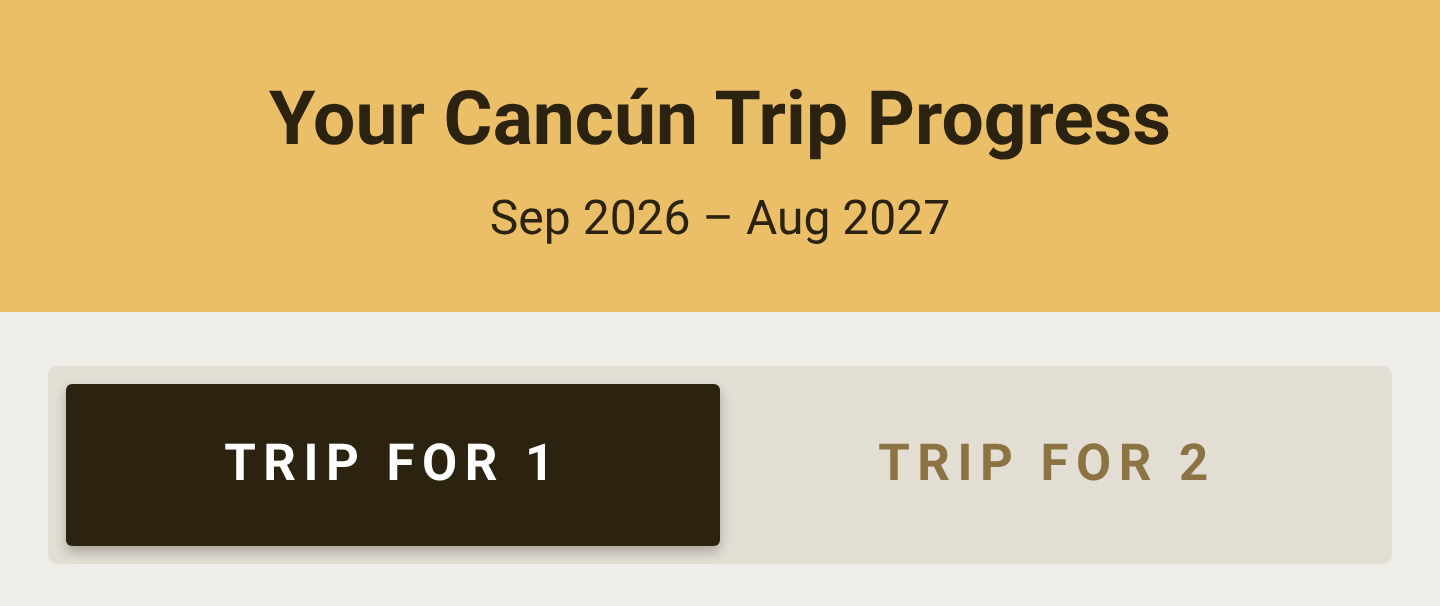
The two tabs at the top switch the whole widget between the two trip levels. Every number below the toggle changes to match the trip you've selected.
Trip for 1 is based on a net increase of 15 new active PCs or QLAs.
Trip for 2 is based on a net increase of 25.
Your baseline, your credits, and your current active count stay the same on both tabs. Only the goals change. Check both tabs to see your progress toward each trip. You might be closer to bringing a guest than you think!
Step 1: Your Goal
This box lays out the number you need to hit. It's a simple subtraction:
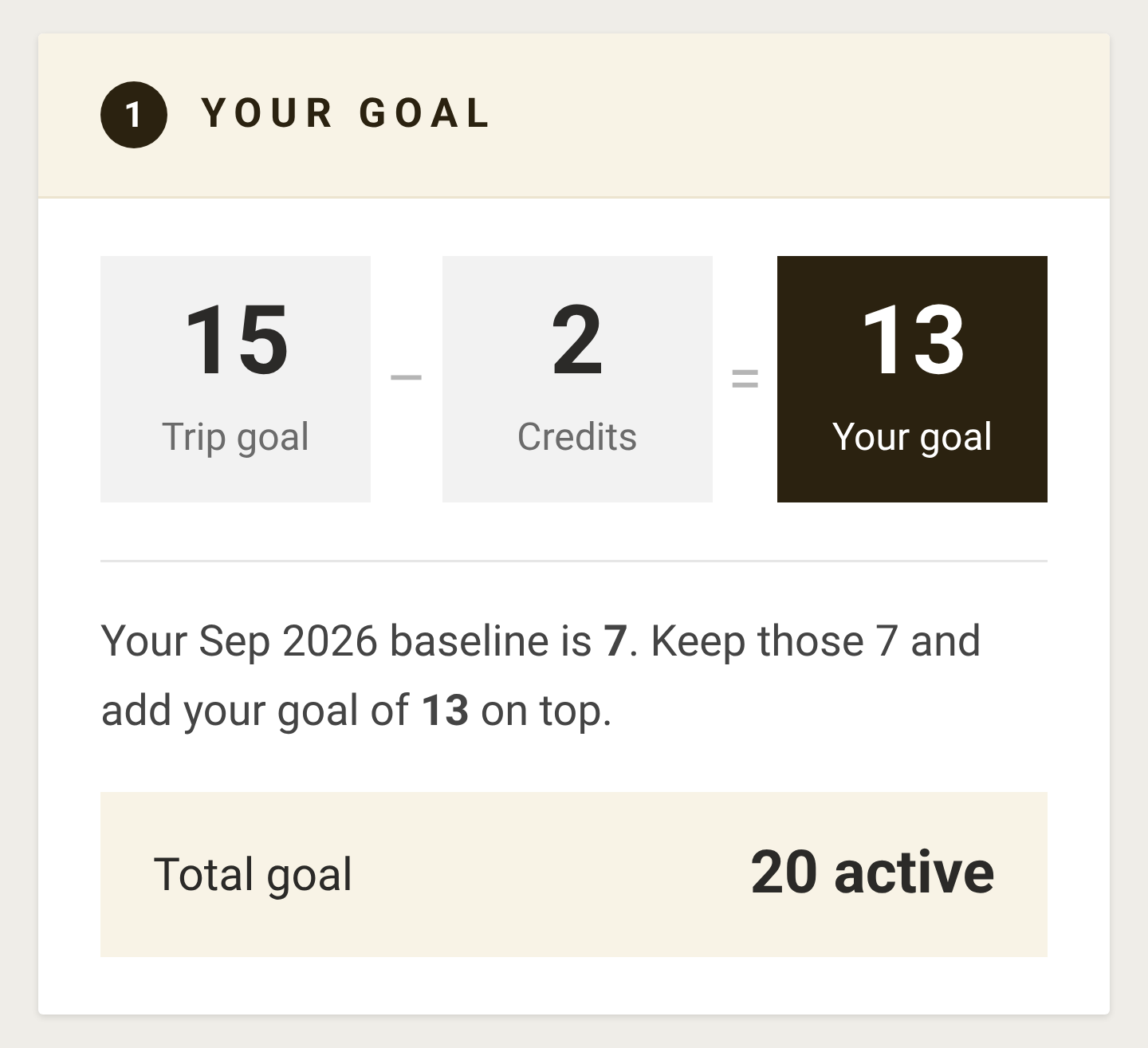
Trip goal − Credits = Your goal
Trip goal is the standard requirement for the trip you've selected: 15 for a Trip for 1, 25 for a Trip for 2.
Credits are reductions you've earned through bonuses, like breaking a new rank or having a direct QLA break a rank. (See the Bonuses panel below for where yours came from.)
Your goal is your personal net increase target after credits.
For Sarah, 15 − 2 = 13 for a Trip for 1, and 25 − 2 = 23 for a Trip for 2.
Below the equation is your baseline: the number of active PCs and QLAs you already had when the qualification period started. The trip rewards growth, so you need to keep your baseline and add your goal on top of it. That sum is your Total goal.
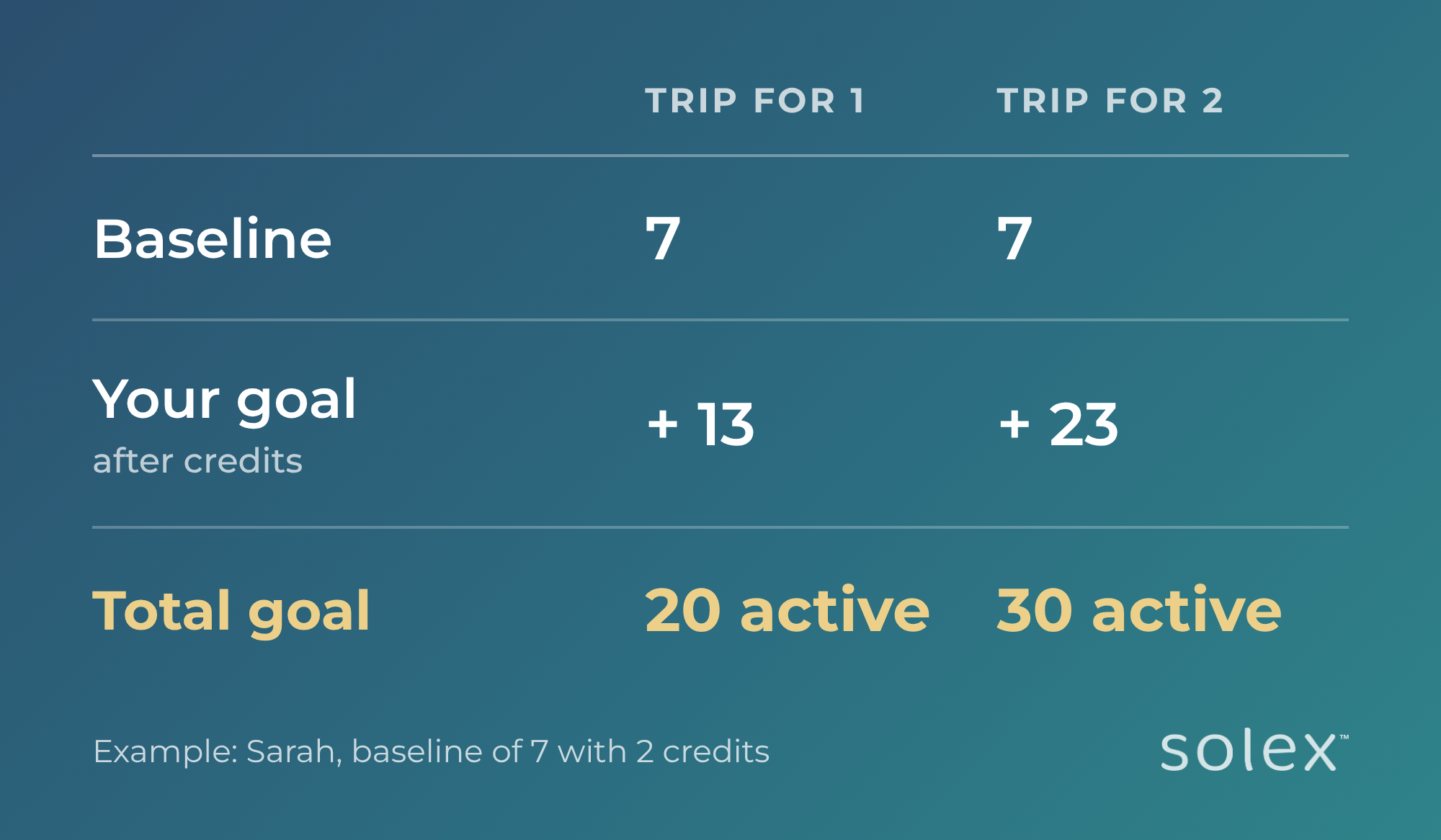
The Total goal is the number of active PCs and QLAs you need on your team in a given month for that month to count.
Step 2: Your latest month
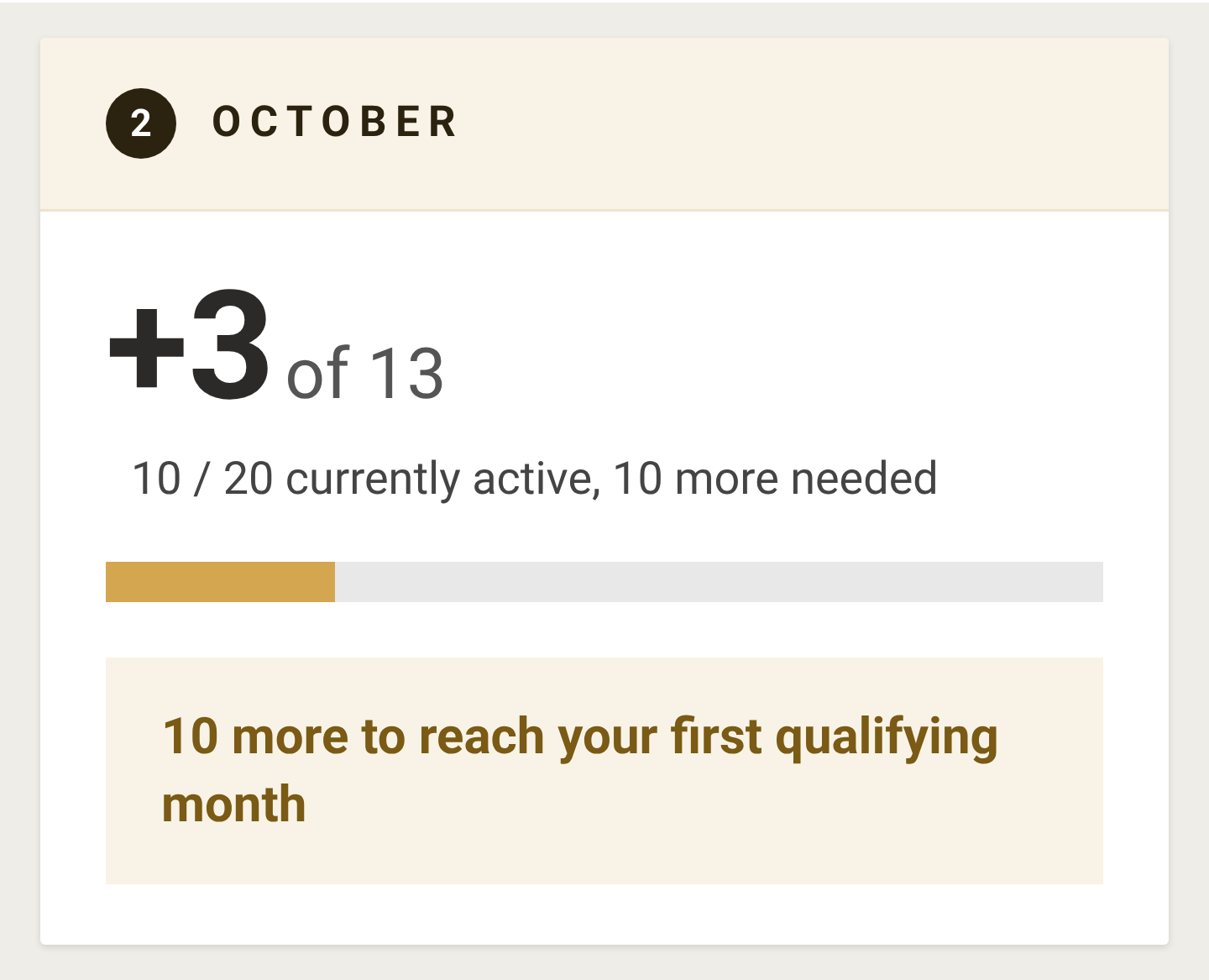
The second box is labeled with the most recent month that's been processed (October for Sarah). It shows how that month went.
The big number (+3 of 13) is your net increase that month: how many active PCs and QLAs you had above your baseline, out of the goal you're working toward. Sarah had 10 active, minus her baseline of 7, so she's at +3.
"10 / 20 currently active, 10 more needed" shows the same thing as a total head count. Sarah had 10 active out of the 20 she needs, so she's 10 short.
The progress bar fills as your net increase gets closer to your goal.
The message box tells you how many more you need for the month to count as a qualifying month.
This box resets each month, so every new month is a fresh chance to qualify.
Step 3: Qualifying Months
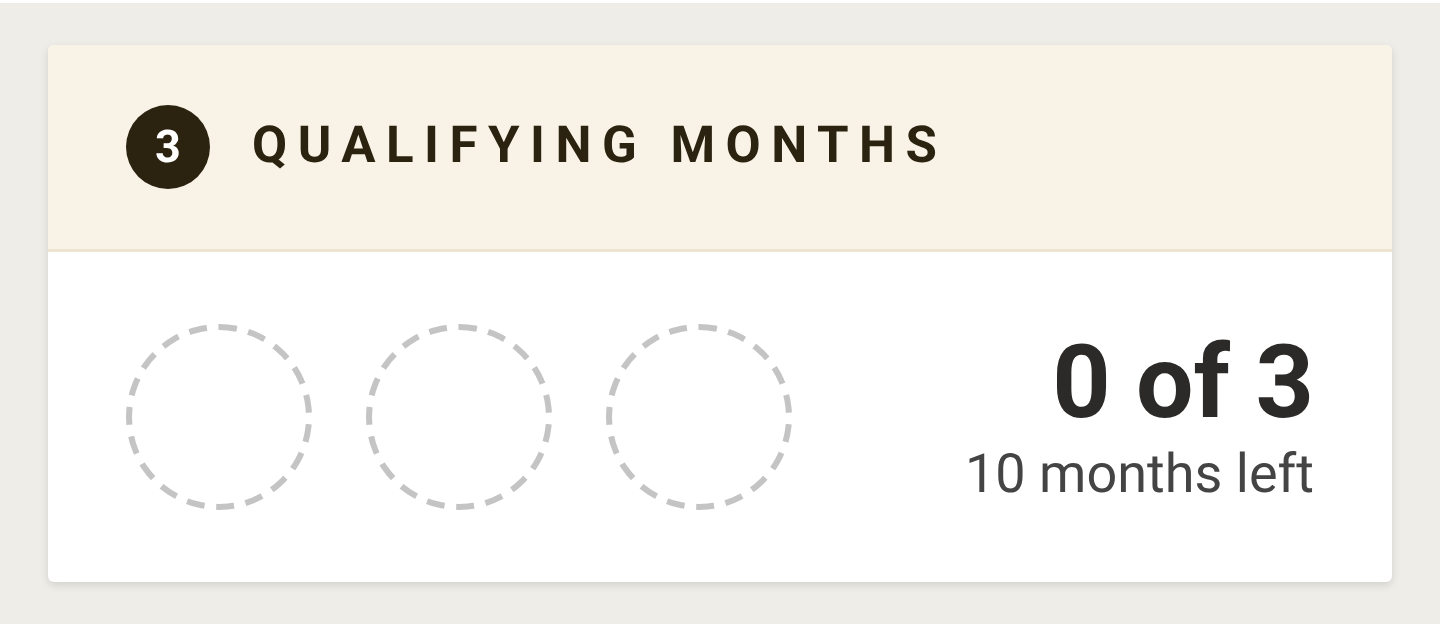
To earn the trip, you need to hit your Total goal in three months during the qualification period (September 2026 to August 2027). The months don't have to be in a row, and they don't have to be the same PCs and QLAs each time.
The three circles fill in as you earn each qualifying month.
"0 of 3" counts how many qualifying months you have so far.
"10 months left" is how many months remain in the qualification period for you to earn them.
When all three circles are filled, you've qualified. Time to start packing for Cancún!
View month-by-month progress
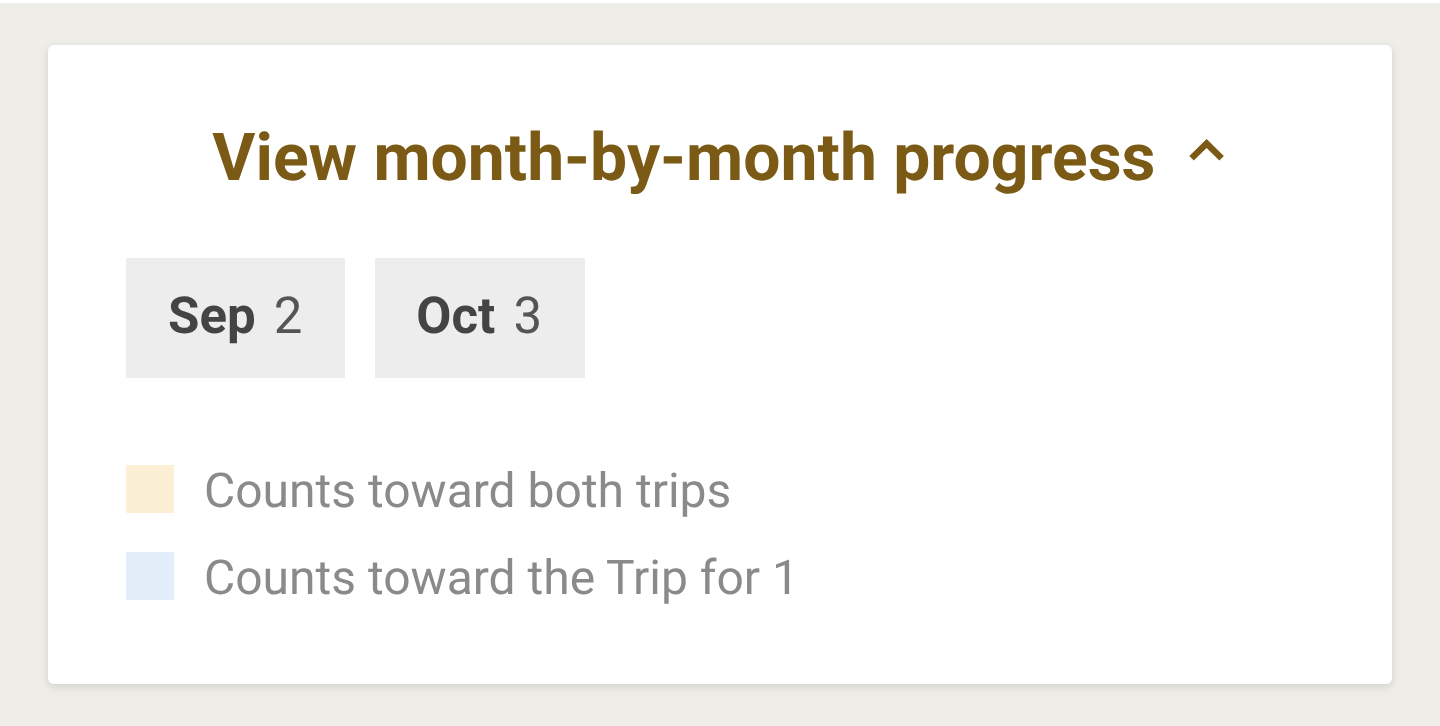
Click View month-by-month progress to open your history. Each month in the qualification period gets its own tile showing your net increase for that month. Sarah had a net increase of 2 in September and 3 in October.
The tile's color tells you whether that month counted:
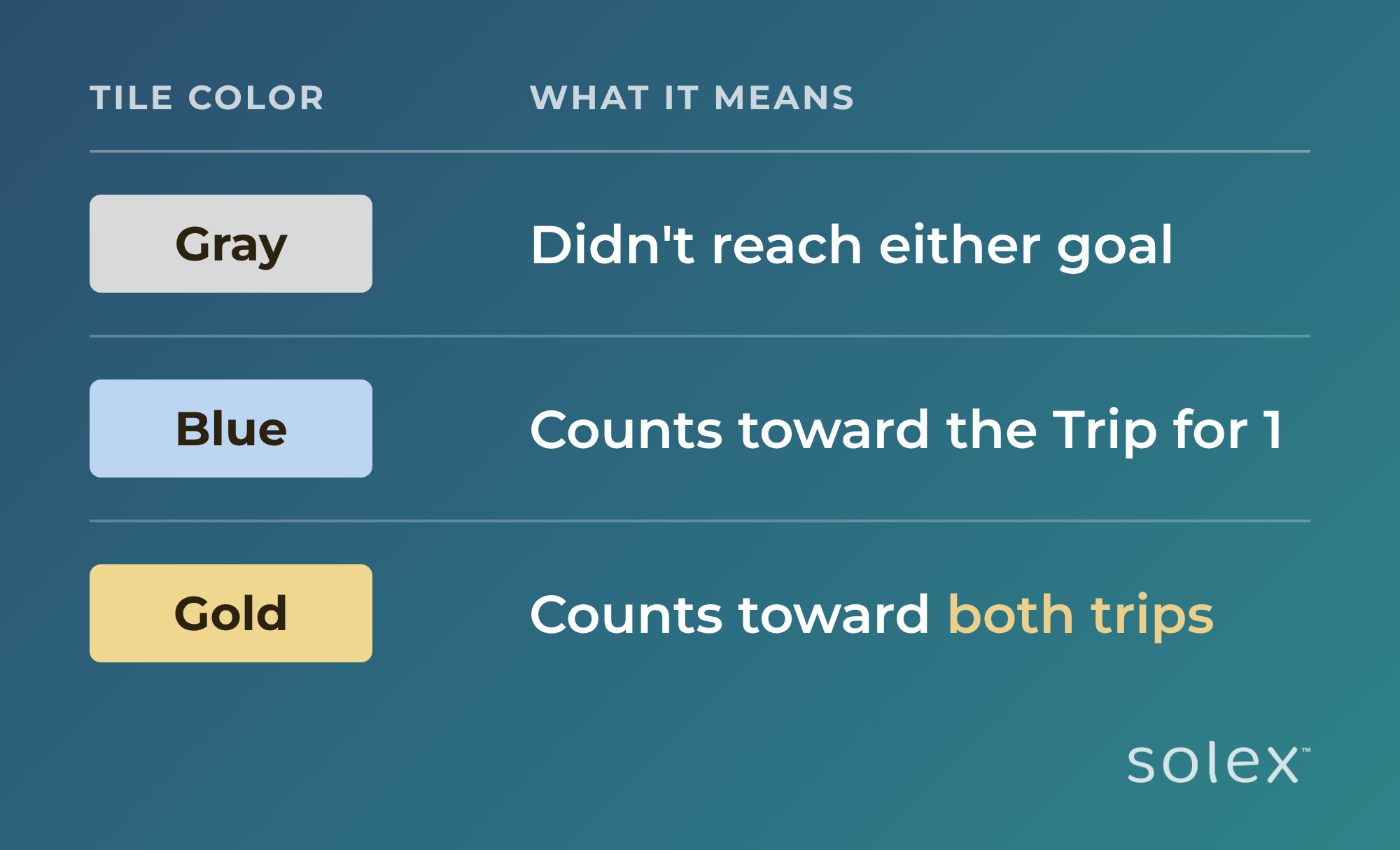
It's the easiest way to see which months have counted so far and watch your growth build over time.
Bonuses
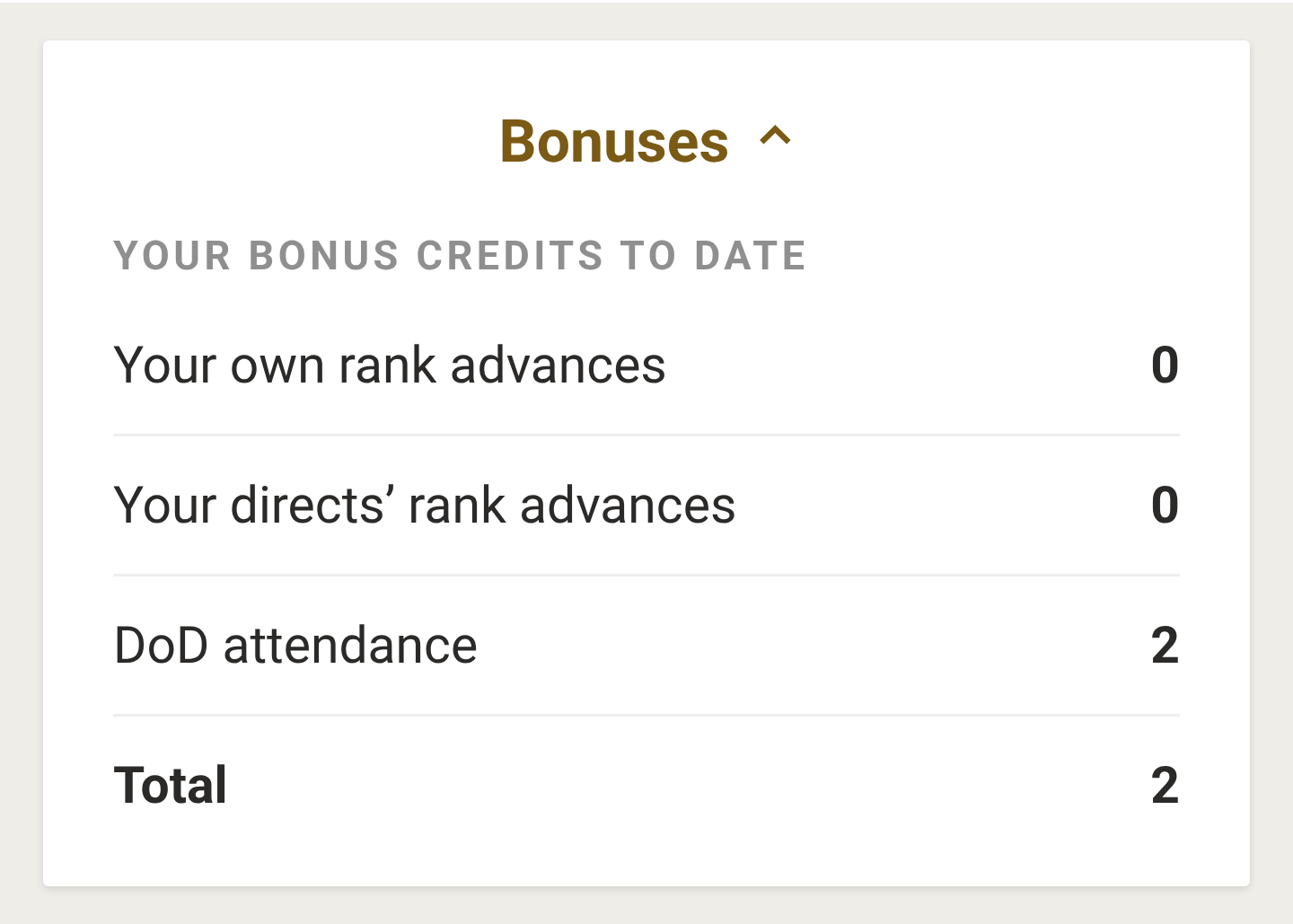
Click Bonuses to see where the Credits in Step 1 came from. The panel lists your bonus credits to date:
Your own rank advances: credits for breaking a new rank yourself. Only your highest rank counts, so these don't stack. Breaking Sapphire or higher qualifies you for the trip outright.
Your directs' rank advances: credits earned when a QLA you personally sponsored breaks a new rank. These add on top of your own rank credit.
DoD attendance: credits for attending DoD.
Total: the sum of all your credits. This is the number subtracted from your trip goal in Step 1.
Sarah earned 2 credits for DoD attendance, which is why her goal dropped from 15 to 13. Every credit you earn brings the trip closer, so it pays to keep advancing in rank and supporting your team.
A rank counts as "broken" once you've held it for three months, so rank credits may show up a little after you first reach a new rank. For the full credit amounts by rank, see the reduction tables in the Cancún incentive blog post.
Quick answers
Why don't I see this month's numbers yet?
The widget updates once a month, by the 15th. This month's results will show up by the 15th of next month.
My goal went down. Why?
You earned new credits. Open the Bonuses panel to see which ones.
If I lose a few PCs or QLAs, do I lose my qualifying months?
No. Each month is judged on its own. A month that already qualified stays qualified, and you just need to hit your Total goal again in another month.
Can one month count toward both trips?
Yes. A gold tile in your month-by-month progress counts toward both the Trip for 1 and the Trip for 2.
Make the Incentive Trip widget part of your monthly routine. Check in by the 15th, celebrate your progress, and use what you see to plan your next month. We can't wait to see you in Cancún!